DeepCharts in prop firm evaluations: follow the rules
Risk Manager locks set one notch under the firm's limits, tick replay, the Strategy Report, OCO brackets and the Trade Copier: what the platform does for an evaluation, and the code OFF.
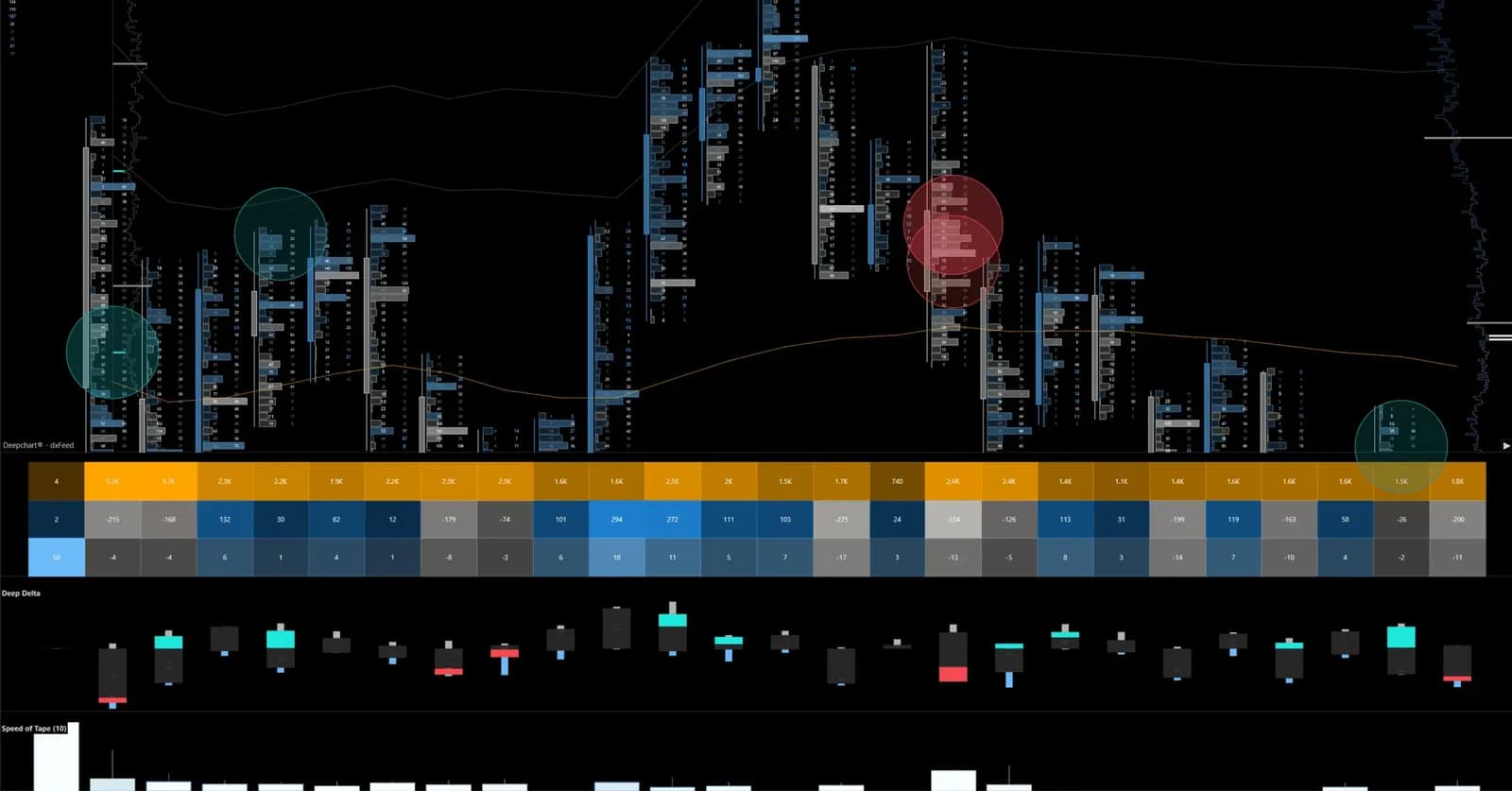
Most evaluations end on a rule, not on a bad entry: a daily loss crossed by a few dollars, a trailing drawdown touched by a position held too long, one trade during a news release. DeepChartsOFF earns its place on an evaluation for a reason that has little to do with the footprint. It carries a set of tools that enforce the firm's rules on your own screen, before the firm has to, and a replay that lets you rehearse the sessions you got wrong without paying for a reset.
The Risk Manager turns the firm's rules into locks
The Risk Manager locks the account on your own machine the moment a limit you set is crossed. That is exactly what a prop firm does, except that here you choose the limit, one notch tighter than theirs. It lives in the Portfolio window of DeepChartsOFF, with one card per connection and one per account, so a rule can apply to a single evaluation or to every account on a connection.
- Daily loss limit, in dollars or in percent. Set it below the firm's own figure.
- Daily trailing drawdown, with the action of your choice: a pause for the session, a timed pause, or a plain flat with no lock. With open positions included, an open gain that gives back more than the limit triggers it too.
- Portfolio and position limits. One ES and one NQ can each look reasonable while their sum is past what you accept. The portfolio limit flattens both.
- Trading hours, in New York time whatever time zone your computer runs. End the window before the firm's flat time.
- Allowed symbols. List the one contract you trade, and an order sent to the wrong one is refused.
- Settings frozen until the next session. You cannot loosen a limit at the moment it bites. For many traders this one box is worth the license on its own.
When a rule trips, the account shows Lockout with a countdown and reopens at the CME session reset. Two things to know: it runs client side, so DeepChartsOFF has to stay open, and only support can unlock it earlier. That is the point.
Replay: rehearse the sessions you lost, for free
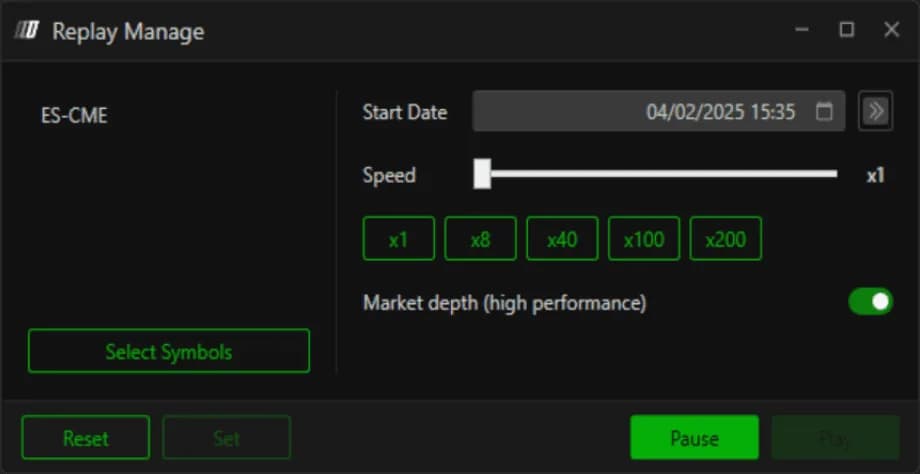
Every session you trade is recorded locally with book depth, and DeepDomOFF can play any date back tick by tick at the speed you choose. Before you pay for a new evaluation, replay the days that cost you the last one. Slow the tape down, call each footprint pattern out loud before the next bar prints, and check whether the wall on the heatmap held or was pulled. Hours of replay cost nothing. A reset does.
The Strategy Report shows which hour is losing the evaluation
DeepChartsOFF turns an account's history into a performance report: balance, wins, losses, drawdown, win rate, every trade in detail, result per instrument, equity curve and profitability by hour of the day. The last tab is the one that changes evaluations. Most traders who fail a consistency rule or blow a daily loss do it in the same two hours, session after session. The report names those hours. Then the Risk Manager's trading window removes them.
OCO brackets and the Trade Copier
An OCO strategy attaches two exits to your entry, a limit for the target and a stop for protection, and cancels one the moment the other fills. DeepChartsOFF offers a simple stop and target mode, a multi mode to scale out in several steps, and a choice between server-side and client-side brackets. On an evaluation, a stop that is placed by the platform at the same instant as the entry is the difference between a planned loss and an unplanned one.
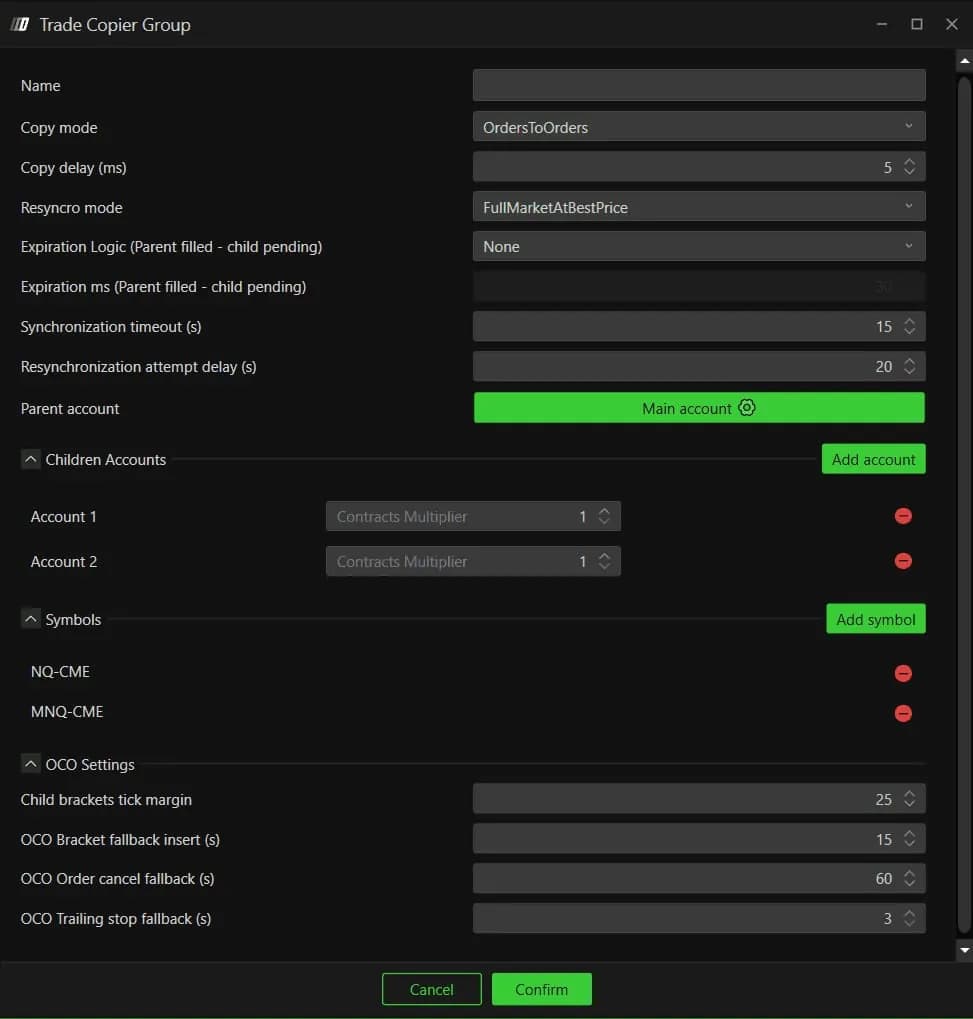
The Trade Copier, still labeled beta, replicates the orders of a parent account on one or several child accounts in real time. Traders who run several evaluations at once manage them with one click. Read the firm's rules on copiers first: most allow it across their own accounts, and the live board on each firm page tells you which platforms the firm lists.
Connecting the evaluation account
DeepChartsOFF is not a broker. It connects to the data and execution feed the firm gives you, dxFeed or Rithmic in most cases, and the license stays yours whatever the firm. The firms below list the platform today, with the feed behind each one. The cards are read from the live board at every rebuild.

- Cheapest account
- $69
- Split
- 90%
- Drawdown
- End of day
- Data feed
- dxFeed
- Code
- —

- Cheapest account
- $105
- Split
- 90%
- Drawdown
- End of day
- Code
- Link applies it

- Cheapest account
- $44
- Split
- 80%
- Drawdown
- Static
- Data feed
- dxFeed
- Code
- OFF
Where the firm does not list it, you still analyze on DeepChartsOFF with your own CME data and execute on the firm's platform. The Risk Manager then protects the accounts connected to DeepChartsOFF, not the firm's terminal, so the lock only works where you execute from the platform.
What it costs, and how to pay less
The license comes in three plans plus a separate one for DeepDomOFF, and market data is billed on top. The dated grid is on our platform page, with the data costs. Count the evaluation, the license and the feed together before you buy: the full monthly figure is what the evaluation cost calculator is for.
The code OFF takes 10% off every plan, monthly or yearly, and stacks with any public promotion DeepChartsOFF is running. Through the partner links on this site it arrives already filled in at the Payment step of the checkout, the third one. If you get there without the link, type OFF in the promo code field at that step.
Count the real cost of an evaluation Firms that run DeepCharts